

Create better learning with AI.
Courso is an AI-native authoring tool that helps you quickly turn ideas, prompts, and materials into engaging interactive learning experiences.
Courso is built for the demands of today’s workplaces. AI is deeply embedded at the core to help every team accelerate the building, design, and sharing of high quality learning materials.
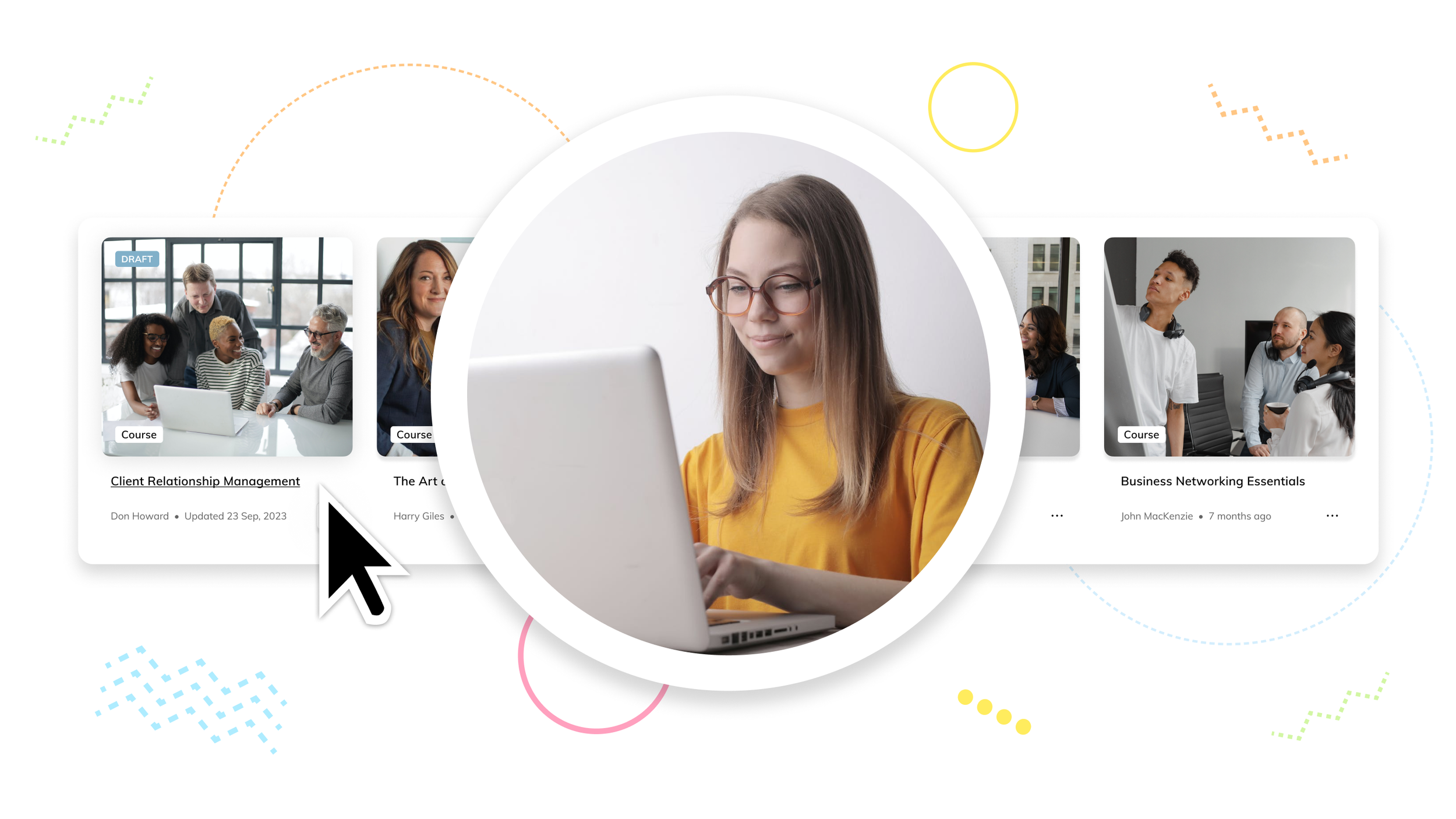
Courses
Create interactive courses with multiple lessons and engaging content. Use a template, or AI to draft a clear starting point, then refine through review, and build with confidence. Share via a link, or export as SCORM for LMS.
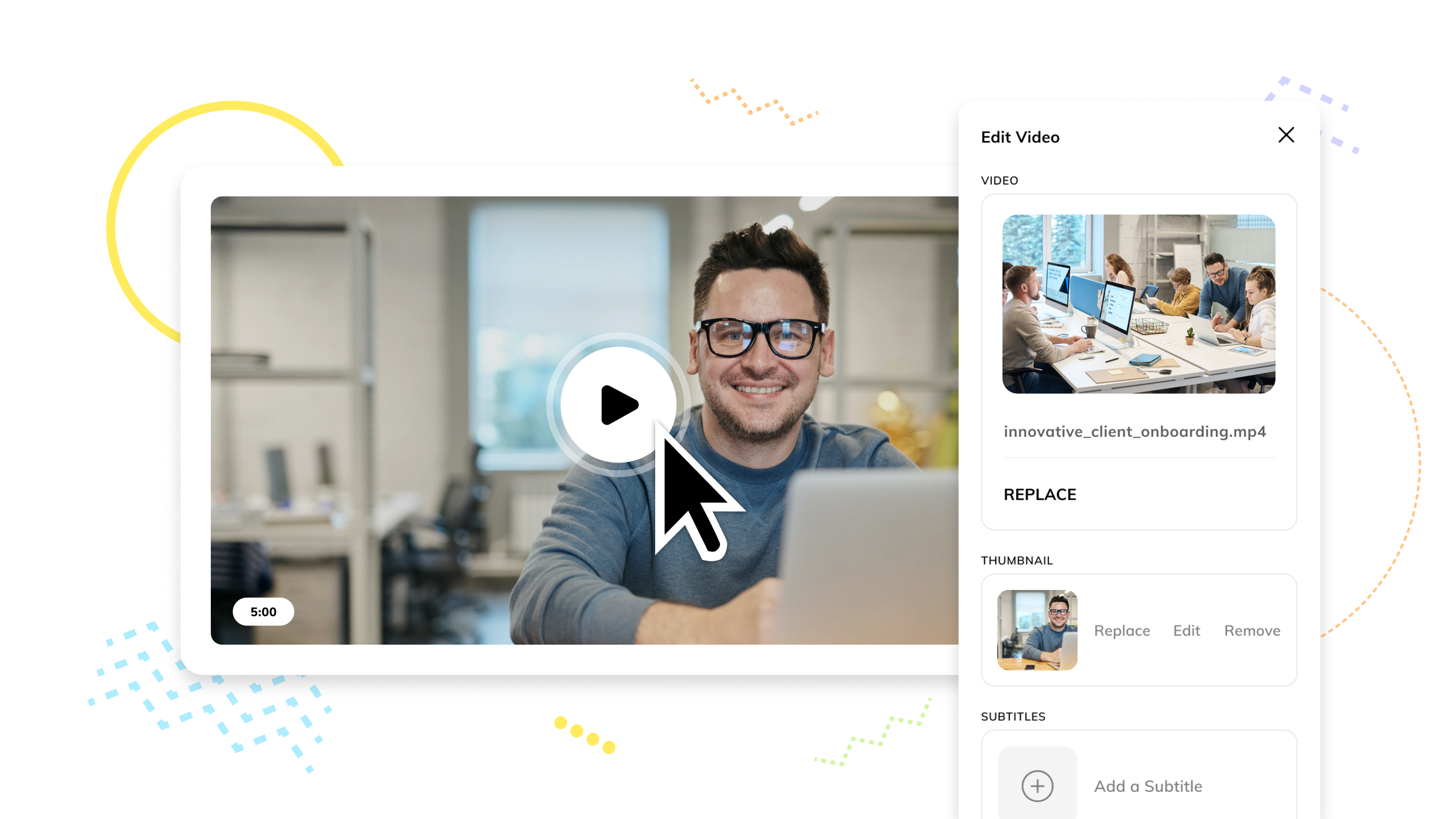
Micro Learning
Build bite-sized, mobile-friendly learning such as explainers and short courses. Start with an AI-assisted draft, review and refine, then share as an individual course, or share a collection of learnings in a single link.

Resources
Draft clear, single-page guides, lessons, cheat sheets, newsletters, and learning job aids with AI support. Review with precision. Group related resources and guides into collections to share learning across the entire workplace.
AI that supports organisational workflow around learning.
Courso uses templates and AI to accelerate drafting and structuring learning content, while keeping people in control of decisions.


How Courso helps.
Courso presents a better way to build learning, from first draft to final delivery.
1. Start with a structured draft
Use AI to create a clear, editable draft learning outline from ideas, prompts, or source material.
Then produce a structured draft storyboard for the course. Focussing the draft on content, not design, means it's immediately useful for reviewers.
2. Align through review
Prepare the draft for client review. Refine content, review the structure, content blocks, layouts, and pages. Rapidly edit using the AI assistant.
Once ready, create a review link and send it out to get stakeholder feedback through comments and media added directly in the learning, before finalising the design and deliverable.
3. Finalise design with confidence
Turn approved drafts into finished courses quickly by resolving issues raised in comments right inside the course, apply custom themes, media, animations, menus, and interactions, then publish with confidence.
The result is a smooth workflow that saves on a lot of resource time.
A complete learning solution workflow.
-
Create learning experiences like courses, resources, explainers and presentations fast through AI or professional designed templates.
Create clarity early, so you are not reworking later. AI creates an interactive draft in storyboard format (an option you choose), you make edits before sending on to review.
-
The storyboard allows you to have initial reviewers focus on content versus design eg ‘that’s not the right image’.
Involve people early while changes are easy. Send a review link to multiple reviewers, markup is quick and done directly on the course.
Courso reviews let reviewers annotate content blocks, including videos, so authors can resolve comments right where they appear.
-
Creators can quickly apply comment changes or reply.
Then in single clicks add theme, branding, animations, menus, and other elements to produce a complete deliverable once the learning goals are agreed.
-
Match how learning is actually created, from internal training requirements to client courses.
Courso makes it easy for everyone involved.
No payment required until you subscribe.
All your learning tools together.
A full suite of smart building blocks and layouts to rapidly build learning that matters.
Ai Layout Assistant
•
AI Text Assistant
•
AI convert to List, Accordion, Flipcards
•
AI Image, zoom controls, highlights, shapes
•
AI Audio
•
Video & Embeds
•
AI Charts & Tables
•
AI Quiz, Smart Question logic
•
Interactive layouts
•
Tabs, Timeline, Modal, & Process layouts
•
Cards
•
Hotspot images
•
Divider, Spacer
•
Note
•
Button, Label
•
Table of Contents
•
Dynamic Menus
•
Deep links
•
HTML code
•
Accept block
•
Progress, Completion blocks
•
Content and page Animation options
•
Continue logic
•
Icons
•
Dynamic Numbering
•
Ai Layout Assistant • AI Text Assistant • AI convert to List, Accordion, Flipcards • AI Image, zoom controls, highlights, shapes • AI Audio • Video & Embeds • AI Charts & Tables • AI Quiz, Smart Question logic • Interactive layouts • Tabs, Timeline, Modal, & Process layouts • Cards • Hotspot images • Divider, Spacer • Note • Button, Label • Table of Contents • Dynamic Menus • Deep links • HTML code • Accept block • Progress, Completion blocks • Content and page Animation options • Continue logic • Icons • Dynamic Numbering •
End-to-end learning creation workflow built for scale.
Create, review, complete, and share.

-
![Screenshot of an online learning platform showing a lesson titled "Introduction to Rockets" with a rocket illustration, a user profile of Alex Winterburn, and an overlay button labeled "Add layout."]()
Experiences
Create courses, resources, explainers, and micro learning designed to read naturally on the web,
-
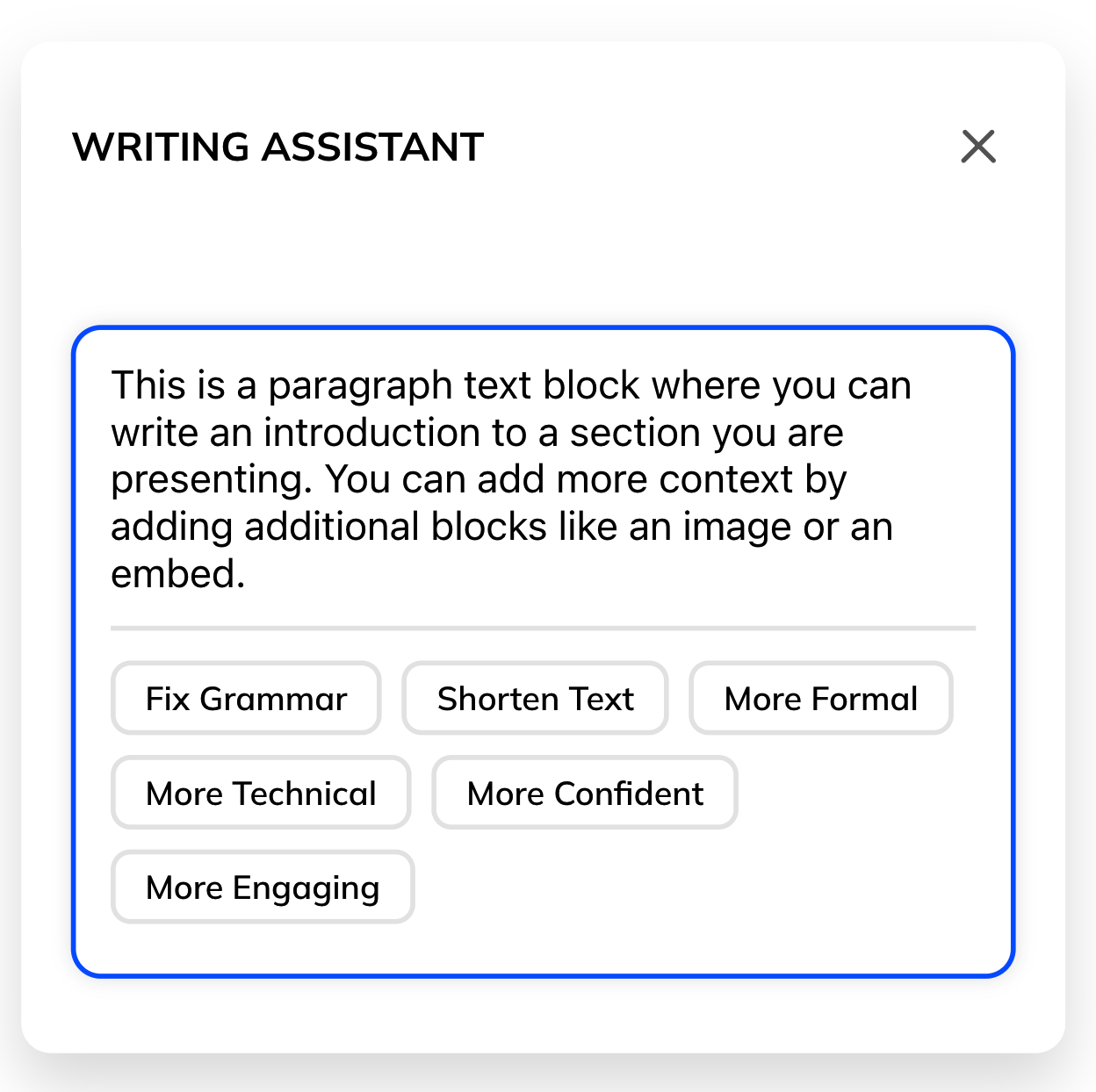
![Screenshot of a writing assistant interface with a text block explaining how to add context to a presentation, and buttons labeled 'Fix Grammar', 'Shorten Text', 'More Formal', 'More Technical', 'More Confident', and 'More Engaging'.]()
AI assisted drafting
Use AI to generate clear learning drafts and layouts from simple instructions, then refine with confidence.
-
![Two overlapping digital course templates, one titled "Health & Safety" with a gray background, and the other titled "Diversity at work" with a blue background, featuring a rainbow-colored hair girl and a cursor icon.]()
Templates
You can also start from professionally designed learning templates that focus on structure and flow, not presentation.
-
![Screenshot of a multimedia editing interface with a selection for adding audio, represented by headphones icon and labeled "Audio." Other options include placeholders for video embed, image, and video.]()
Content blocks
Build learning using flexible content blocks designed for explanation, interaction, and understanding.
-
![Three women sitting on a pink couch, two of them smiling and talking, as a profile overlay highlights Jenny Gregory, a product manager, with her picture and description.]()
Interaction in context
Add knowledge checks, hotspots, tabs, accordions, and processes directly within the learning flow.
-
![Screenshot of a web page showing an embedded video tutorial titled 'How to use Audio clips,' presented by Edward and Sophie. The video player shows a hand cursor clicking on the progress bar, with a yellow square icon of headphones on the left. In the background, there are images of people talking and a giant ocean wave.]()
Multimedia support
Embed video, audio, documents, and external content without breaking learning flow.
-
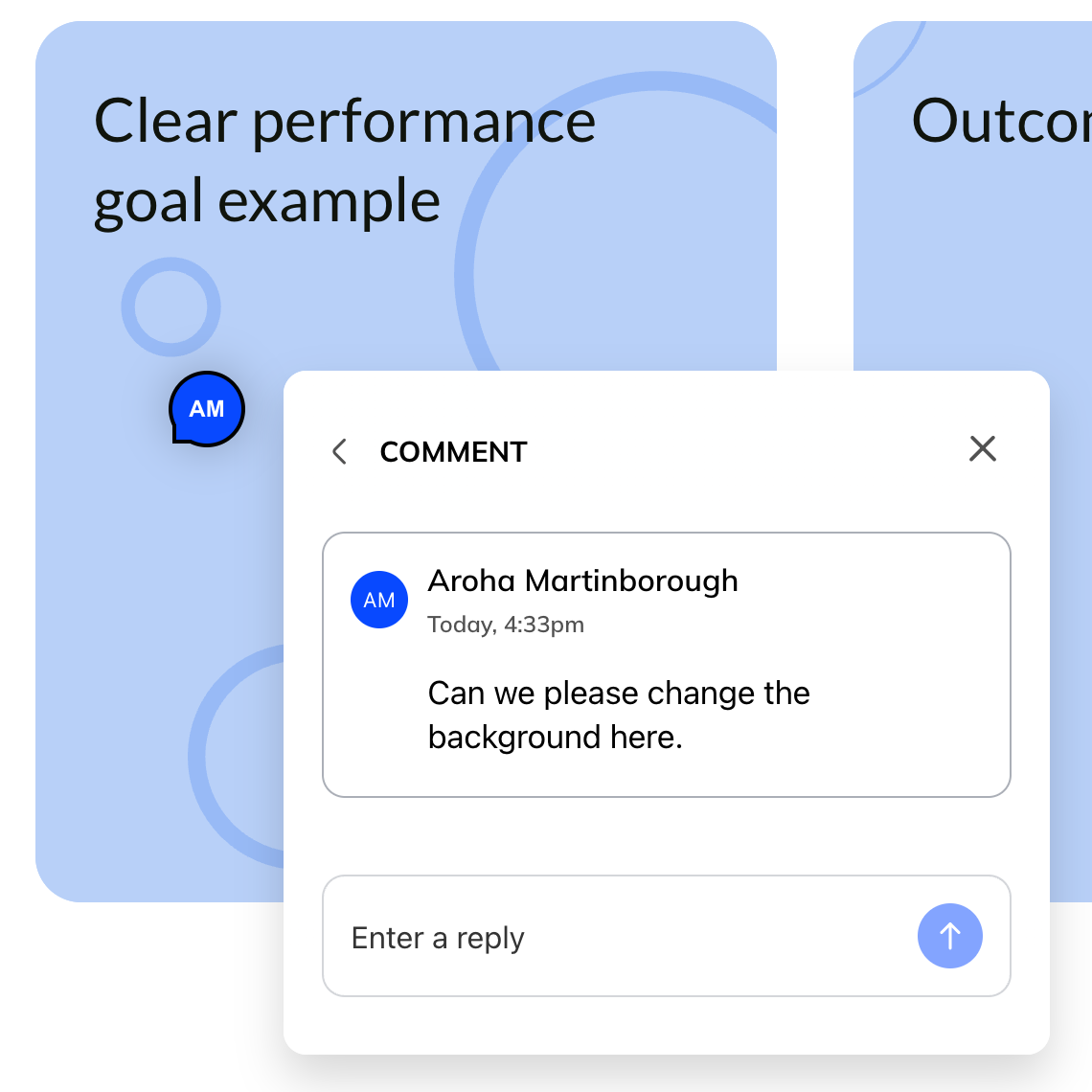
![Clear performance goal example with a comment box overlay containing a message asking to change the background.]()
Review for feedback
Send review links so customers can quickly view and comment. Then assess, correct, reply or resolve.
-
![A computer screen displaying a Microsoft Teams lesson titled 'Introduction to Teams' with a sidebar showing an option to swap the layout to a version with a large image of a hand holding a lightbulb against a gradient background.]()
Editing and iteration
Use feedback to quickly make adjustments, refine content blocks, layouts, and adjust structure without starting again.
-
![Screenshot of a color selection menu with a mouse cursor over a section labeled 'Headline' and underlined in blue. The menu shows color options and font styles, and contains placeholder text 'The dog chased the cat all over the house.']()
Brand-ready theming
Apply consistent fonts, colour palettes, and interface elements so learning feels coherent and easy to read, not visually distracting.
-
![Screenshot of a video player with a paused video showing a woman and a man engaged in a conversation. The video is 1 minute long. A tracking overlay indicates 85% completion of the video.]()
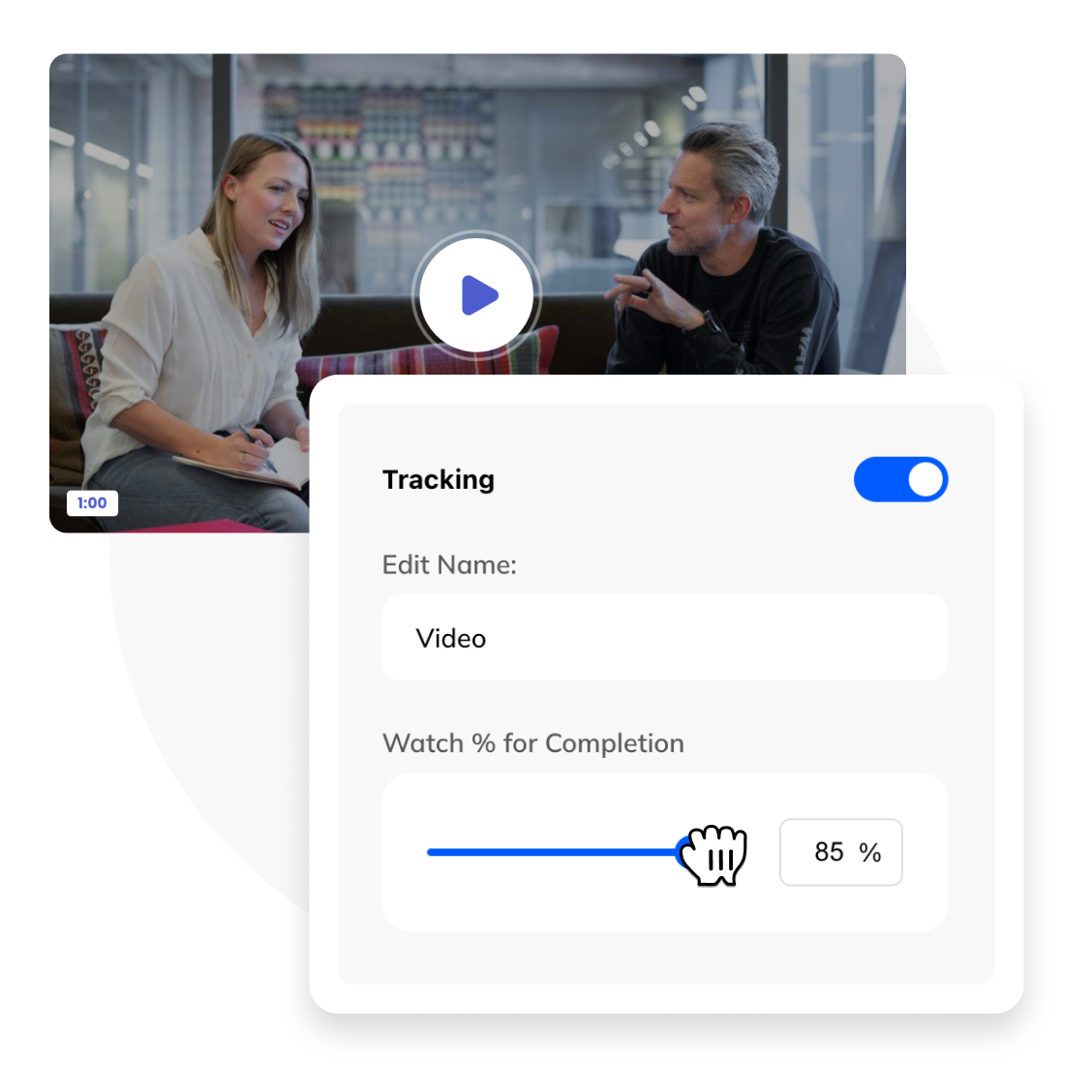
Track and completion
Track progress, completion, and understanding to see how learners engage and move through content.
-
![Digital illustration of links for sharing online: a blue public link with a cursor pointer, a purple domain link restricted to listed domains, a green email link for access by known people, and a yellow password-protected link.]()
Publish the learning
Share learning as a live, responsive web experience with control over access and expiry. For LMS export as SCORM.
-
![A collection of digital course templates on a screen, including a company handbook, effective presentations, user guide, video explainer, course template, annual report, staff guide, and onboarding template.]()
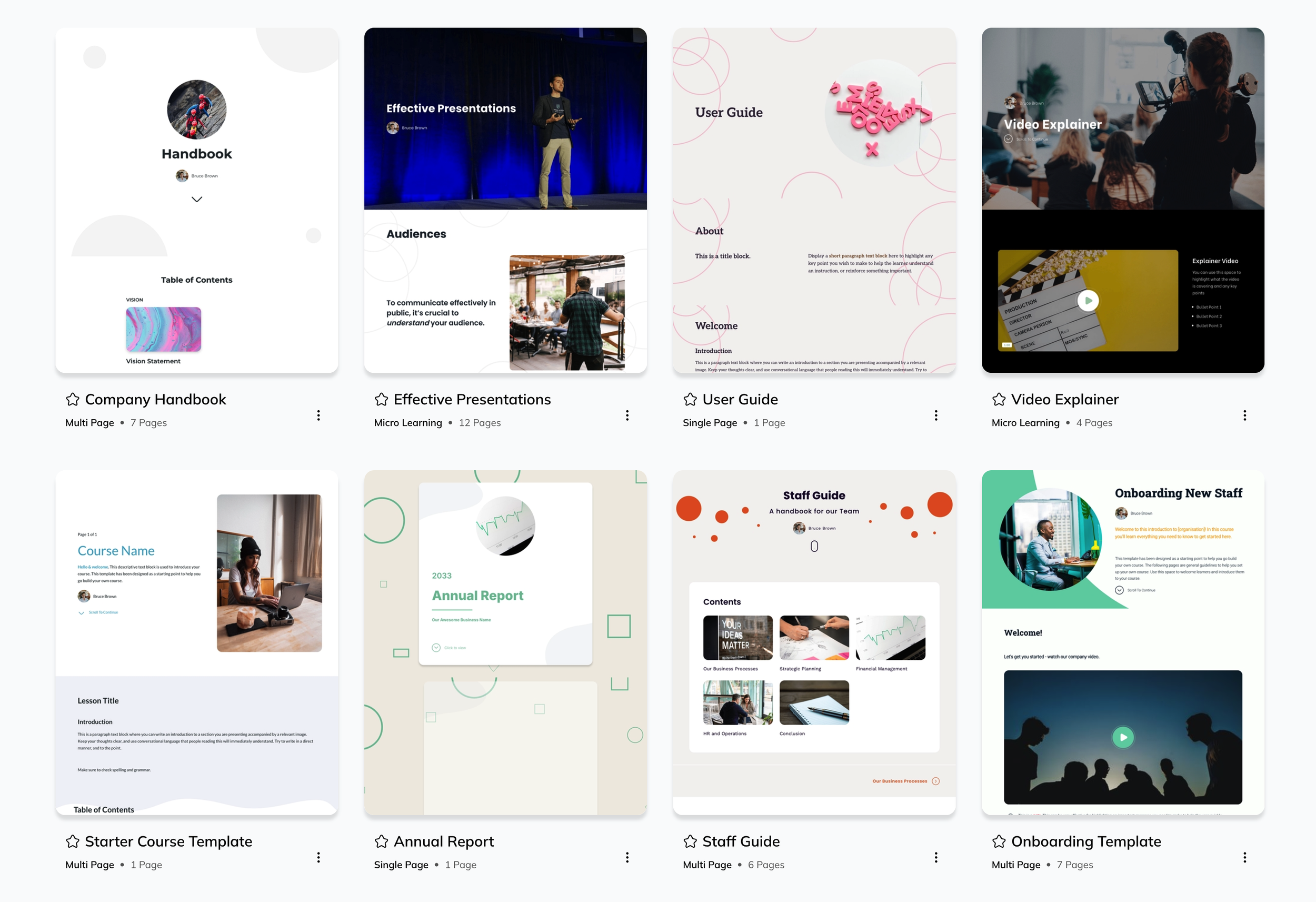
Collections
Group related learning into collections and share them as a single, coherent experience.







Designed by learning professionals.
Courso is built by the team behind Cognise, a modern enterprise learning platform trusted by organisations across the public and private sectors.
Courso is built on a modern technology stack, with AI deeply embedded in its core. AI supports the build process by accelerating drafting and refinement, while creators remain in control of decisions at every stage.
Quickly create editable draft outlines which support smart collaborative reviews, helping teams build more engaging learning experiences a lot faster saving on a great deal of time and resources.
Templates, content blocks, themes, and navigation tools are designed to work together so learning feels natural to read, easy to review, approve, and ready for real learners.
Start creating now and help shape what comes next.
What Courso supports
-
Courso lets you create a wide range of web-native learning experiences that feel natural to read and explore online.
All learning is responsive by default and designed for continuous flow rather than fixed slides. Create what you require, from short to detailed multi-page courses, single page resources and micro-learning that works across devices.
Navigation, menus, interaction, animation, and theming can be applied intentionally to support clarity, not presentation.
-
Courso uses AI where it helps most: turning ideas into clear drafts fast. Creators can make outlines and content from simple prompts, then edit and finalise with confidence.
AI also builds layouts - timelines, processes, accordions, tabs, quizzes, and interactive sections into clear, editable content.
On-page, the Courso AI assistant shapes content blocks, refines copy, makes images, generates quiz questions, and converts blocks instantly. Courso AI keeps creators moving while they stay in control. Use it to produce polished, interactive, and easily editable learning content.
Courso AI helps creators quickly shape learning.
-
Templates provide structured starting points without locking you into presentation patterns.
Choose from professionally designed templates that range from simple and neutral to more visually styled.
Templates are designed for learning flow and can be fully customised to suit courses, guides, and other learning experiences.
Any learning can be duplicated and adapted as needed.
-
Themes help apply visual consistency without slowing creation.
Courso includes a set of handcrafted themes and allows teams to create custom themes aligned to their brand. Themes can be set as defaults and changed at any stage, without affecting learning structure.
Design supports clarity, not decoration.
-
Review workflows let authors gather feedback and confirm alignment before courses go live. Courso reviews speed up publishing and reduce confusion and delays.
Authors create a review link for a stage (like storyboard) and invite reviewers to comment anywhere on a page. This could be: on a flipcard back, inside an accordion, or directly on a video. Reviewers can add reactions and upload files.
Authors can quickly address and resolve comments. Courso tracks who viewed the review and gives key contacts extra controls and insights.
After a review, authors have the option to start an approval workflow for final sign-off of a completed review.
-
Courso makes it easy for teams to work from a shared workspace.
Learning projects are centralised so teams can see, reuse, and build on each other’s work. Collaboration features are evolving to support shared editing, commenting, and review as teams grow.
-
Courso is designed for sharing learning as a live web experience.
Create a draft in the builder and then publish links or review links. Make changes to the draft and decide when to update and re-publish.
Creators can publish multiple custom links per item, with control over access using public, password-protected, email-restricted, or domain-restricted sharing. Links can be tailored for different audiences and set to expire when required.
When learning needs to live inside an LMS, content can be exported as standard and dynamic SCORM for tracking and compliance.
-
Collections help organise learning that belongs together.
Group related courses, guides, and learning experiences into a single collection, then share individual items or publish the entire collection through one link. This makes it easier to manage projects, collaborate, and distribute learning consistently.
-
Analytics help teams understand how learning is used.
Integration with external analytics tools like Google Analytics (GA) is supported for deeper insight. Connect your account to GA for deep insights across all learning.
Creators can see how learners engage with shared content and track interaction with key sections.
-
Courso account management is designed to stay out of the way.
Team administrators can manage members, apply branding such as logos and primary colours, and oversee billing from a central place, without adding complexity to the creation process.
-
Courso is built with security in mind.
Content, media, and branding are stored securely in the cloud (AWS), with access managed centrally and hosted in an ISO 27001 or SOC 2 Type II certified data centre.
Multi-Factor Authentication (MFA) is available by default, with Single Sign-On (SSO) supported for enterprise accounts.

Start creating learning everyone can agree on.
Move quickly from ideas to confident learning without skipping the steps that matter most.
AI-assisted drafting. Human-led outcomes.